No more register. No more WhatsApp screenshots.
The maintenance and expense app for builder floors and small apartments. Record cash in seconds, let residents pay by UPI, and every owner sees the balance, the bills and who has paid.
- Free during early access
- Cash-first, UPI optional
- Nothing is ever deleted
MyFlatApp · now
₹2,000 cash received for Flat 302
September maintenance
~10 sec
To record a cash payment
Pick flat → amount pre-filled → save
Cash + Bank
Two balances, always right
Worked out from every entry
3 roles
Admin, owner, tenant
Each sees exactly what they should
0
Silent edits or deletions
Corrections need a reason, and stay visible
The register, the screenshots and the doubt
In most small buildings one volunteer collects everyone's maintenance. They do it honestly, but nobody else can see it, so questions never stop.
Three steps. No training needed.
If your cashier can send a WhatsApp message, they can run the building on MyFlatApp.
- 1
Create the month's maintenance
Set the amount and due day once, say ₹2,000 by the 5th. Each month, one tap gives every flat its due.
- 2
Record payments as they come
Cash handed over at the door, UPI, bank transfer or cheque. Old dues are cleared oldest-first; anything extra is kept as an advance.
- 3
Everyone sees it instantly
The owner and tenant get a notification. Balances, collection status and the ledger update on their own.
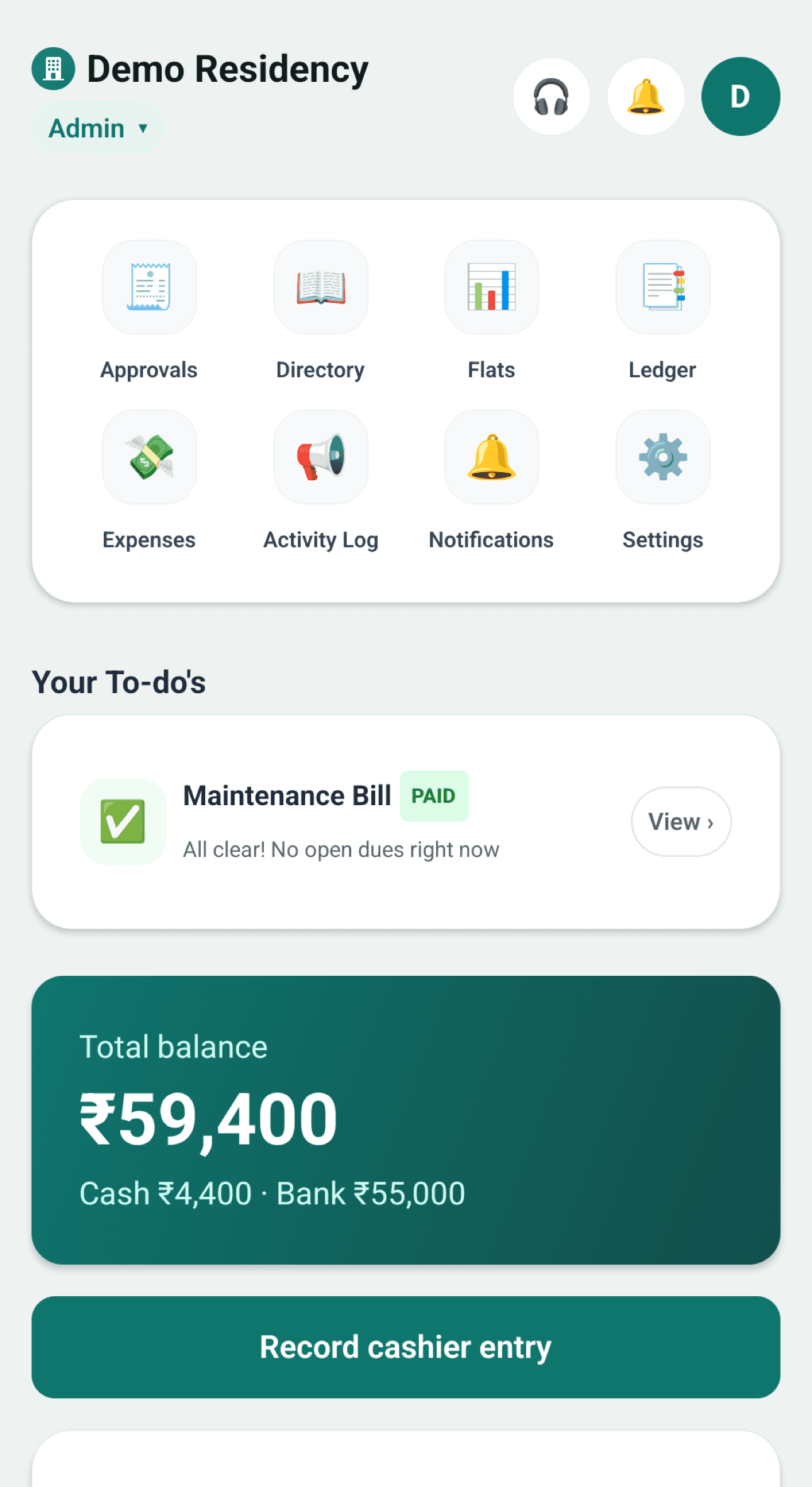
Total balance · Demo Residency
₹59,400
Cash
₹4,400
Bank
₹55,000
Recent
- +Flat 302 · Cash₹2,000
- +Flat 101 · UPI · approved₹2,000
- −Electricity · common area₹8,500
- ⇄Cash deposited to bank₹10,000
Owners and tenants see the same balances
Everyone gets exactly their view
Roles are per building. The cashier who is also an owner of Flat 101 simply switches between the two.
Big numbers. Clear labels. Nothing to learn.
Designed for older owners and busy cashiers: large text, large buttons, and statuses that are always written out, never just a colour.
Admin home
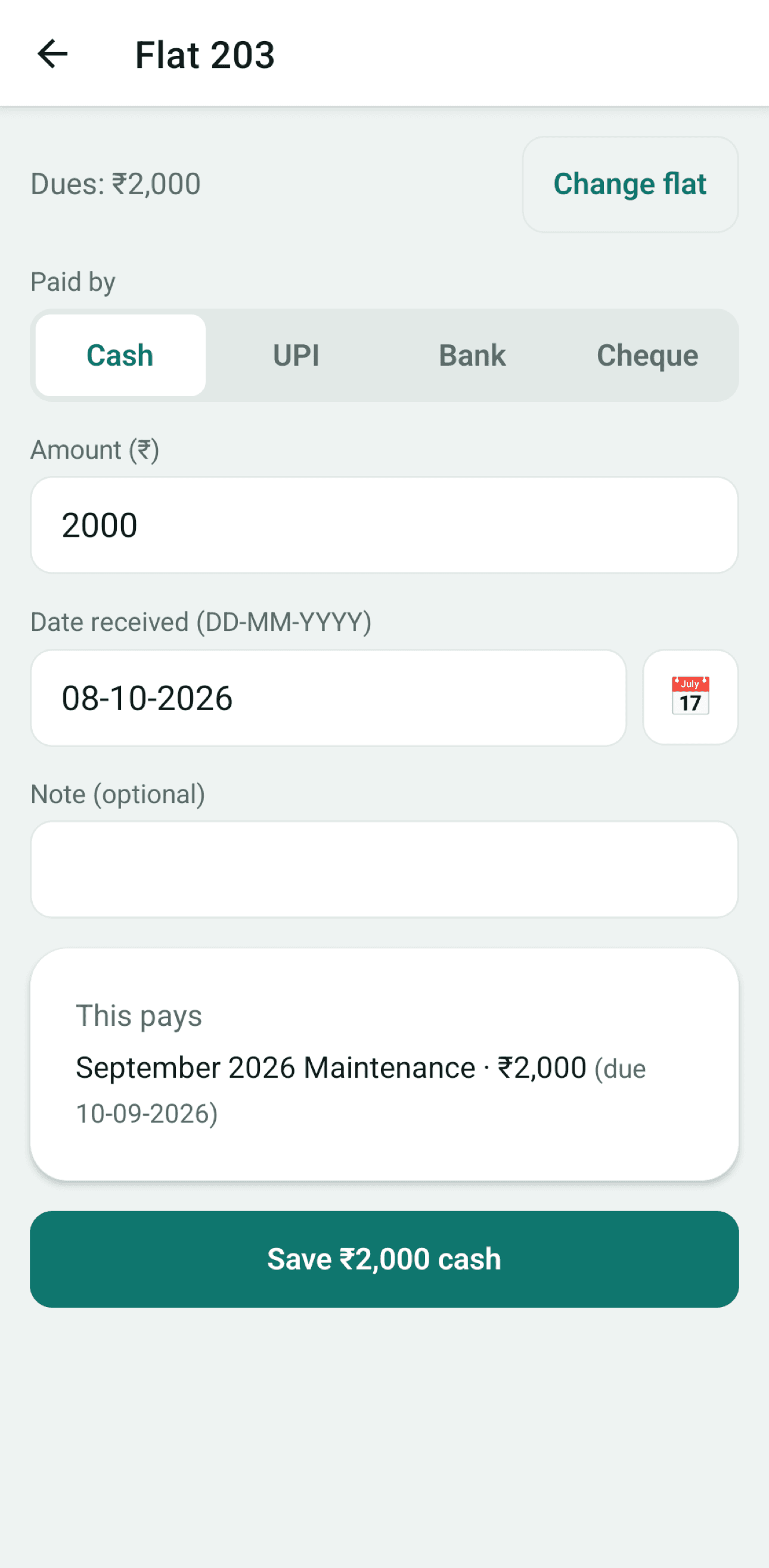
Record cash
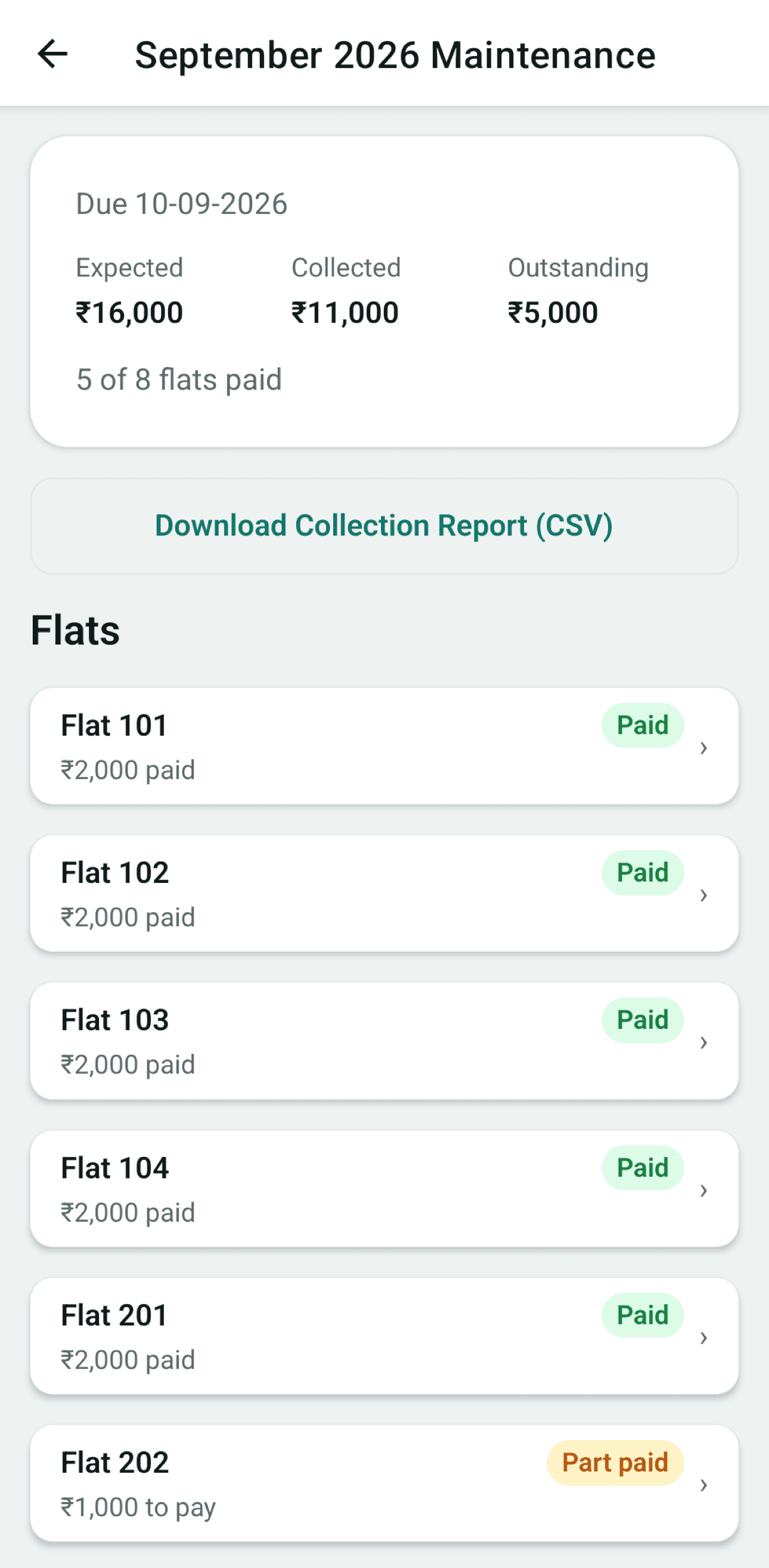
Collection
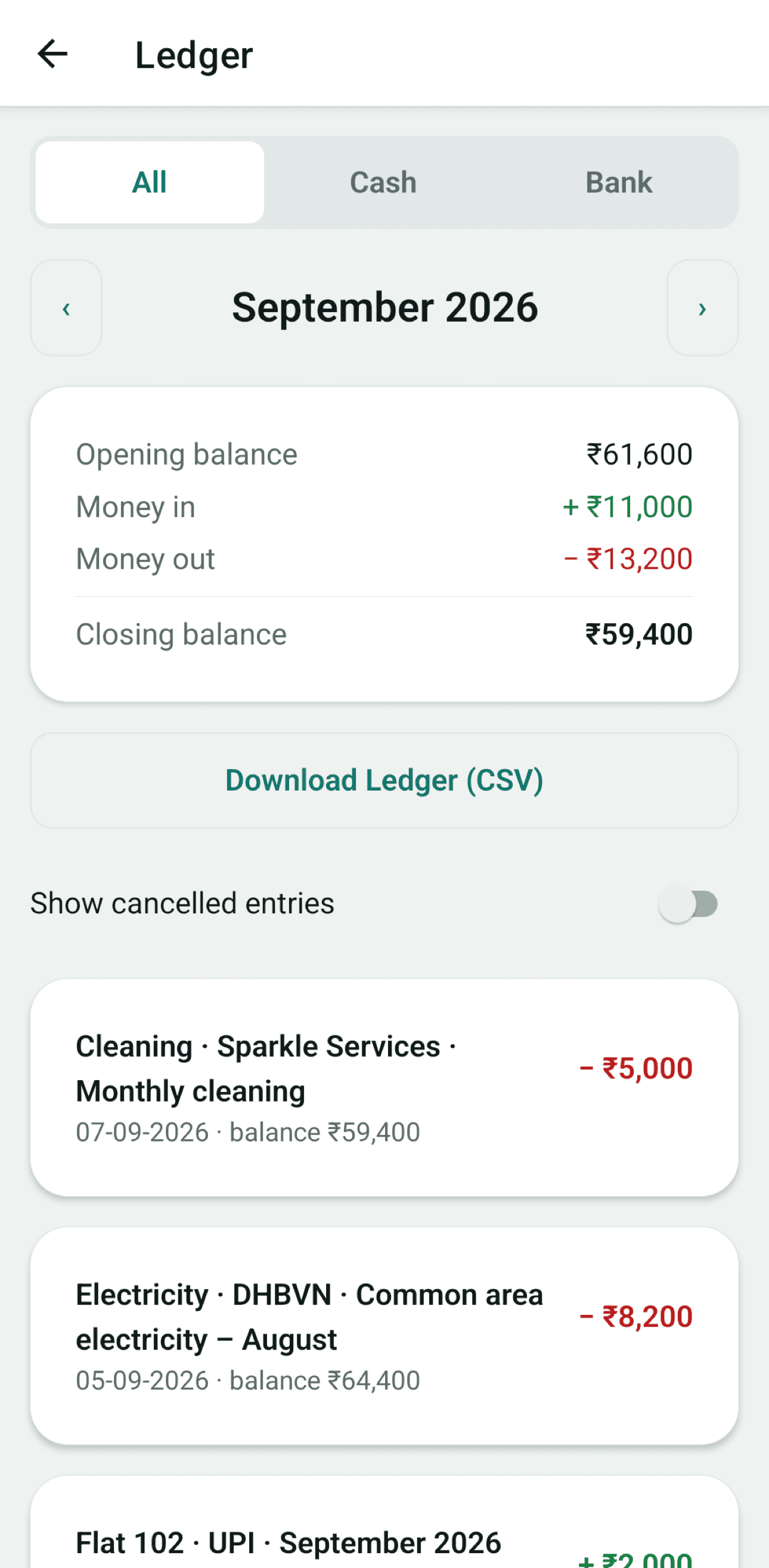
Ledger
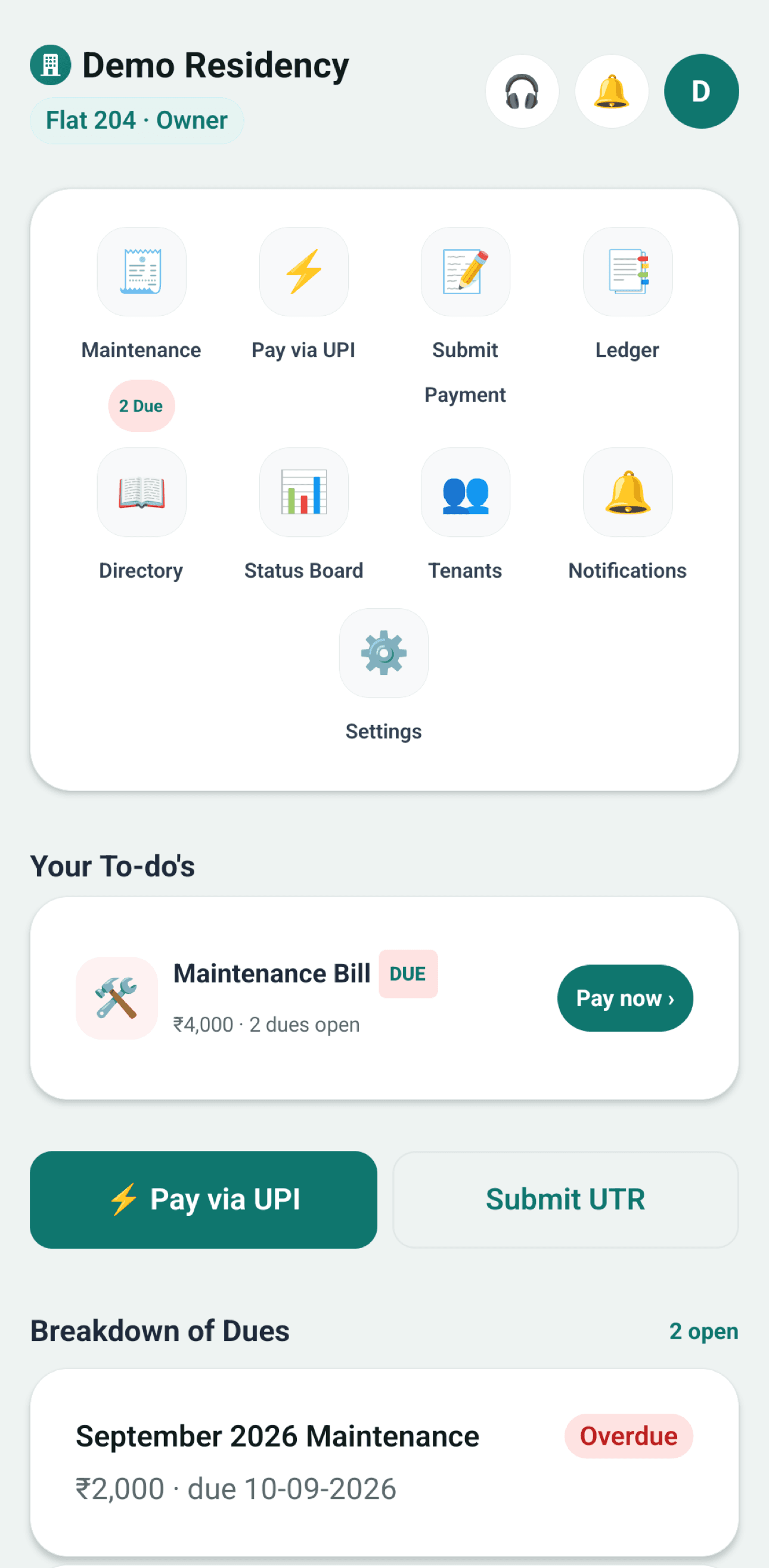
Resident home
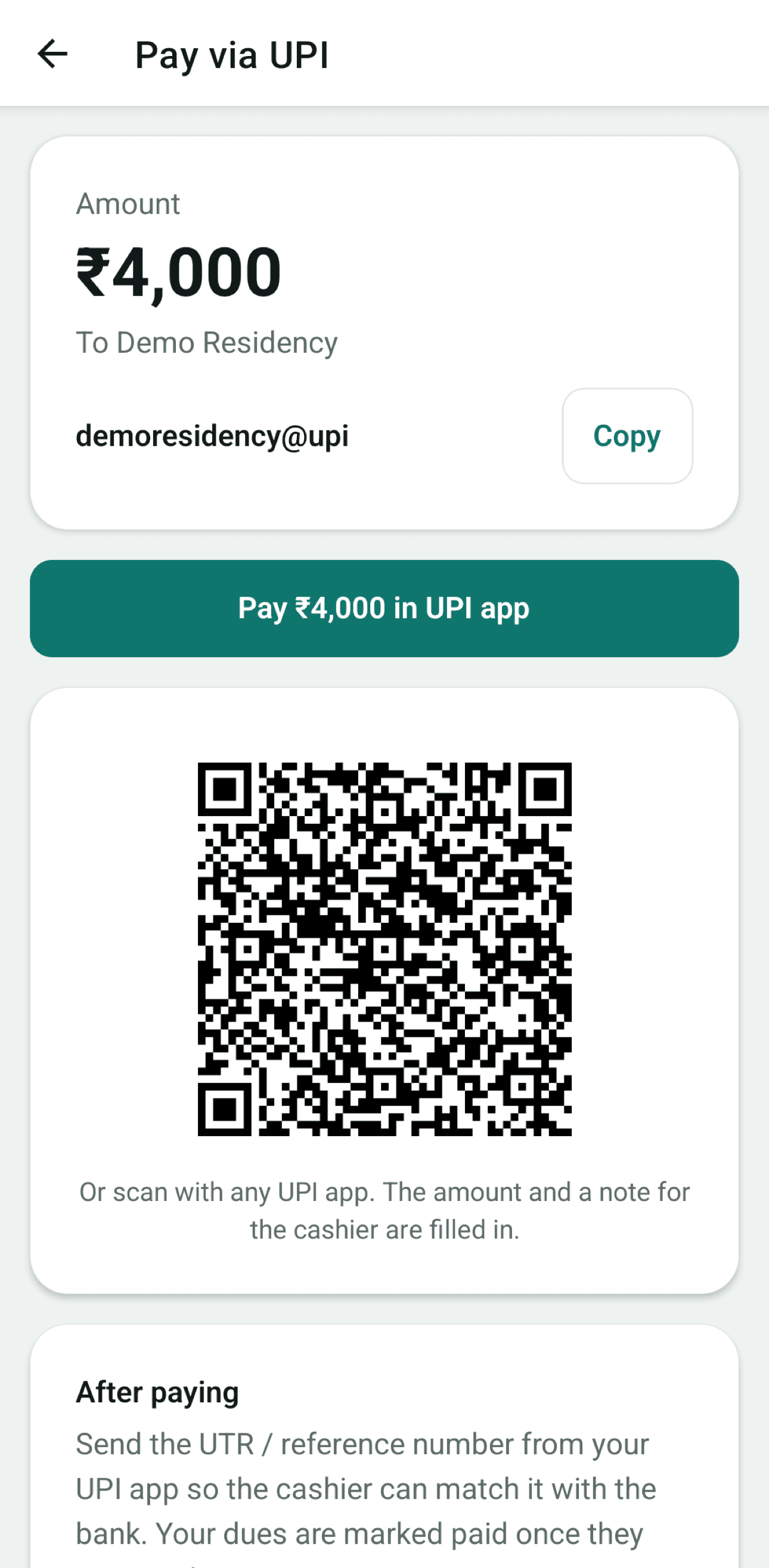
Pay via UPI
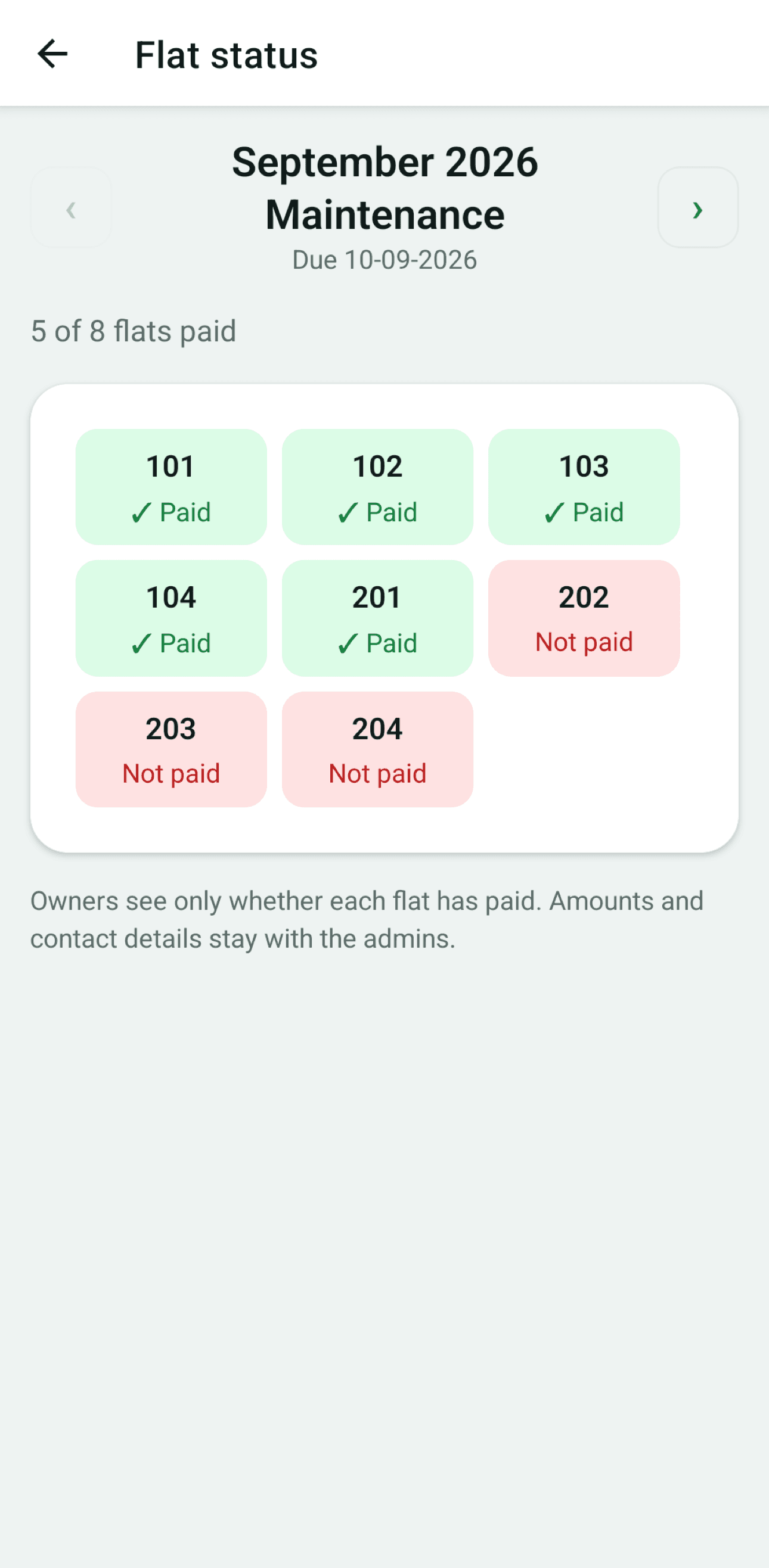
Flat status
Open about the money. Private about people.
Everyone can check the building's accounts. Only the admins see phone numbers and emails. All of it is enforced on the server, not just hidden in the app.
| Who sees what | Admin | Owner | Tenant |
|---|---|---|---|
| Own flat's dues & payments | All flats | Full history | From move-in |
| Other flats: paid or not | With amounts | Status only | No |
| Cash & bank balances | |||
| Expenses & bill photos | |||
| Full ledger | Read-only | Summary | |
| Recent corrections | No | ||
| Residents' phone & email | No | No |
Nothing is ever deleted
A wrong entry is cancelled with a reason and re-entered. The cancelled row stays in the ledger with who, when and why, and another admin must approve it with a one-time code.
Balances are never typed in
Cash and bank balances are worked out from opening balance, payments, expenses and transfers. No one can "adjust" them.
Each building is walled off
Access is checked on the server for every request. No one can see another building's data, not even by accident.
No passwords, no shared logins
Everyone signs in with a one-time code sent to their own email, then stays logged in. Face ID or fingerprint lock is optional.
Free while we build it with you
Early-access buildings use every feature at no cost. No card, no setup fee, no payment-gateway charges. Money goes straight to your building.
Early access
₹0for your whole building
- Unlimited admins, owners and tenants
- Every feature, on iPhone and Android
- Email support from the people who built it
Bring your building on board
We're onboarding a small number of buildings at a time so we can help each cashier get set up. Tell us about yours and we'll email you when it's your turn.
- Setup takes one sitting: building, flats, owners, opening balances.
- Keep collecting cash exactly as you do today.
- We'll only email you about your early access.
Questions cashiers ask us
Can't find yours? Email us. A real person replies within a working day.
Do residents have to share their bank details?
Is it a payment app? Does money go through you?
Who can see what?
How do residents log in?
What if the cashier makes a mistake?
How much does it cost?
Retire the register. Keep the trust.
Your cashier keeps collecting cash the way they always have. Everyone else finally gets to see it.